
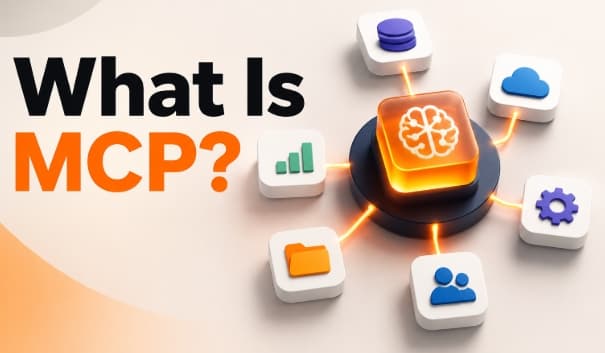
What Is MCP? Practical Ways to Understand the Model Context Protocol
As AI moves beyond answering questions to completing real tasks, it needs a reliable way to interact with the software and data people use every day. Whether retrieving information from business applications, accessing cloud storage, or updating project management tools, these interactions have traditionally relied on custom integrations that are difficult to build and maintain.
As organizations adopt more AI assistants and AI agents, the need for a consistent way to connect AI with external systems continues to grow. The Model Context Protocol addresses this challenge by introducing a common standard that simplifies tool integration, reduces development effort, and helps AI applications access live information across multiple services.
What Is MCP?

MCP, short for Model Context Protocol, is an open standard that enables large language models, AI assistants, and AI agents to securely connect with external tools, applications, and data sources. It creates a common way for software to communicate, making tool integration simpler and more consistent across different platforms.
Instead of building a separate connection for every application, developers create an MCP server that exposes approved tools and resources. Any compatible MCP hosts can then access those capabilities through the same protocol, reducing duplicate development work and making integrations easier to maintain.
Think of MCP as a hotel concierge. You don't go directly to the kitchen, housekeeping, or maintenance. You make one request to the concierge, who forwards it to the right department and returns the result. MCP works the same way by routing requests from an AI application to the correct external service, then sending the response back in a standardized format.
Why Was Model Context Protocol Created?
Before a common standard existed, connecting AI applications to external software was a slow and repetitive process. Every new application needed its own integration with business tools such as CRM platforms, cloud storage, project management software, accounting systems, and databases.
As organizations adopted more AI assistants and AI agents, the number of custom integrations grew quickly. Developers often repeated the same work, making systems harder to maintain, update, and scale.
The Model Context Protocol solves this challenge by introducing a shared way to connect AI with external services. Instead of building a separate integration for every application, developers expose tools once through a standardized interface. This simplifies tool integration, reduces development effort, and makes it easier for compatible applications to work with the same systems.
How MCP Works
At a high level, MCP acts as the communication layer between an AI application and external services. The workflow looks like this:
User Request
↓
AI Application
↓
MCP Client
↓
MCP Server
↓
External Tool or Data Source
↓
Response Returned to the AI
Here's what happens during each step.
Step 1. The user submits a request
A user asks an AI application to complete a task.
For example:
"Show me every support ticket created this week."
At this point, the AI understands the request but has no direct access to the company's support platform.
Step 2. The AI identifies the required service
The application recognizes that answering the question requires information from an external system. Instead of generating a response based on guesses, it prepares a request through the protocol.
Step 3. The request reaches an MCP server
An MCP server exposes tools or resources from a connected application. In this example, the server communicates with the customer support platform and retrieves the requested records.
Step 4. The information returns to the AI
The retrieved data flows back through the protocol. The AI analyzes the information and produces a natural language response for the user. Throughout this process, the protocol provides a consistent way for different systems to exchange information.
The Core Components of MCP

Understanding a few key components makes the protocol much easier to follow.
| Component | Purpose |
|---|---|
| Host | The application where users interact with the AI. |
| Client | Sends requests from the application to connected services. |
| Server | Provides access to tools or information from external systems. |
| Tools | Perform actions such as searching, updating, or retrieving data. |
| Resources | Supply structured information for the AI to use. |
| Prompts | Reusable instructions that guide common tasks. |
Each component has a specific responsibility, making the overall system easier to build and maintain.
MCP hosts
An MCP host is the application people use directly. Examples include AI chat applications, coding environments, business assistants, and productivity software. The host receives the user's request and coordinates communication with connected services.
MCP server
An MCP server connects an external system to the protocol. Rather than exposing an entire application, the server provides specific tools and resources that the AI is allowed to access.
For example, a server connected to a project management platform might expose tools for:
- Finding tasks
- Creating new projects
- Updating deadlines
- Listing assigned team members
This controlled approach improves consistency and reduces unnecessary complexity.
A Practical Example
Imagine a sales manager starts the day by asking an AI assistant:
"Summarize yesterday's sales activity and identify customers who need follow-up."
To answer this request, the application needs information from several systems. It retrieves sales records from the CRM, checks recent email activity, reviews meeting notes, and analyzes customer interactions. Instead of building separate custom integrations for every application involved, the business connects these systems through the protocol.
The AI gathers the required information, combines it into a single summary, and highlights customers who require attention. From the user's perspective, the experience feels like asking one question and receiving one complete answer. Behind the scenes, multiple connected services work together through a standardized communication process.
MCP vs Traditional APIs
Many people assume MCP replaces APIs. It doesn't. APIs remain the foundation that software uses to exchange data. MCP builds on top of them by providing a standard way for AI applications to use those APIs.
| Traditional API | MCP |
|---|---|
| Every application often needs its own integration. | One standardized connection works across compatible applications. |
| Developers manage different connection methods. | The protocol provides a common communication pattern. |
| Integration logic is often duplicated. | Connections are easier to reuse. |
| Scaling requires more development effort. | New compatible applications connect with less work. |
Think of an API as a door into a software service. MCP is the receptionist who knows which door to use and how to communicate with the service behind it.
MCP vs Function Calling
Function calling and MCP both help AI interact with external systems, but they solve different problems. Function calling allows a model to choose predefined functions created by developers. MCP provides a broader framework for discovering and using tools through a standardized protocol.
| Function Calling | MCP |
|---|---|
| Functions are defined inside an application. | Tools are exposed through standardized servers. |
| Usually tied to one implementation. | Designed for reuse across compatible applications. |
| Developers manage each function individually. | External services expose capabilities through a common interface. |
| Best for smaller integrations. | Better suited for larger software ecosystems. |
If your application only needs a few predefined actions, function calling may be enough. If it needs to work with many business systems and reusable connections, MCP offers a more scalable approach.
Common MCP Use Cases
The Model Context Protocol supports a wide range of business and technical applications by enabling AI systems to securely access external tools and data. Here are some of the most common use cases.
AI agents
AI agents go beyond answering questions. They plan tasks, make decisions, and complete actions by interacting with external systems. For example, a marketing agent might retrieve campaign performance, check advertising budgets, generate weekly reports, and create follow-up tasks. Instead of relying on separate custom integrations, it communicates with connected services through the same protocol.
Customer support
Support teams use AI to search knowledge bases, review customer history, and retrieve support tickets from multiple systems, helping agents resolve issues faster.
Software development
Coding assistants retrieve project files, inspect repositories, access documentation, and support developers without requiring separate integrations for every service.
Business intelligence
Teams combine data from databases, spreadsheets, and reporting platforms to answer business questions and generate insights from multiple sources.
Project management
Applications retrieve project updates, assign tasks, create new projects, and monitor deadlines across connected platforms.
Internal knowledge search
Organizations connect document repositories, company policies, and technical documentation so employees receive accurate answers from a single interface.
Benefits of MCP

The protocol offers advantages for developers, businesses, and end users.
Faster development
Reusable connections reduce duplicated work when integrating new applications.
Better scalability
Organizations add compatible services without rebuilding existing integrations.
Consistent communication
Applications interact with connected systems using the same structure instead of many different approaches.
Easier maintenance
Developers update one standardized connection instead of managing several custom integrations.
Improved user experience
Users interact with one interface while the application retrieves information from multiple connected systems behind the scenes.
These benefits become more noticeable as organizations adopt more AI-powered workflows.
Challenges and Limitations
Although MCP simplifies many integration tasks, it does not solve every problem.
Security still matters
Organizations must decide which tools an application is allowed to access and what actions it can perform.
Server quality varies
A poorly designed server leads to slower responses or missing functionality, even if the protocol itself works correctly.
Existing APIs are still required
MCP does not replace the software interface underneath. External applications still need APIs or another supported communication method.
Adoption is still growing
Not every software platform supports MCP today. Many organizations continue to use traditional integrations alongside the protocol. As adoption increases, the number of compatible tools and services will continue to grow.
Is MCP Replacing APIs?
The short answer is no. APIs remain the foundation of modern software. They allow applications to exchange data and perform actions such as creating records, retrieving information, or updating systems. MCP does not replace those APIs. Instead, it provides a standard way for AI applications to interact with them.
Think of it this way:
- APIs define what a software service can do.
- MCP defines how compatible AI applications communicate with those services.
A company with existing APIs does not need to rebuild them. Instead, developers create an MCP-compatible interface that exposes the tools the AI needs. This approach allows different AI applications to work with the same services without creating a new integration every time.
Conclusion
The Model Context Protocol changes how AI applications interact with the digital world. Instead of relying on custom integrations for every service, it provides a consistent way to connect with external tools and data. As AI assistants and AI agents take on more complex tasks, standardized communication will become increasingly important. Whether you're building AI solutions or evaluating new technologies, understanding this protocol helps you prepare for the next generation of intelligent applications.
Frequently Asked Questions
1. What does MCP stand for?
MCP stands for Model Context Protocol, an open standard that enables AI applications to connect with external tools and data sources through a common interface.
2. Why is the Model Context Protocol important?
It simplifies tool integration, reduces duplicate development work, and helps AI applications interact with external systems more efficiently.
3. How do AI agents use the protocol?
AI agents use it to access business tools, retrieve live data, automate workflows, and perform actions across multiple applications.
4. When should businesses adopt the protocol?
Organizations should adopt it when AI applications need to retrieve live information or perform tasks across multiple systems.
5. Can one AI assistant connect to multiple tools?
Yes. A single AI assistant accesses multiple compatible services through one standardized communication method.
6. Does the protocol replace APIs?
No. It works alongside APIs by providing a standardized way for AI applications to communicate with external services.
7. How does tool integration work?
The protocol routes requests from an AI application to connected tools, retrieves the required information, and returns the response in a consistent format.
8. Can large language models access live data?
Yes, when connected to external systems through the protocol, large language models retrieve current information instead of relying only on their training data.
9. What types of applications support the protocol?
It supports coding assistants, customer support platforms, enterprise software, business intelligence tools, and productivity applications.
10. Is the protocol only for developers?
No. Developers build the integrations, while businesses benefit from faster automation, easier maintenance, and more capable AI solutions.