
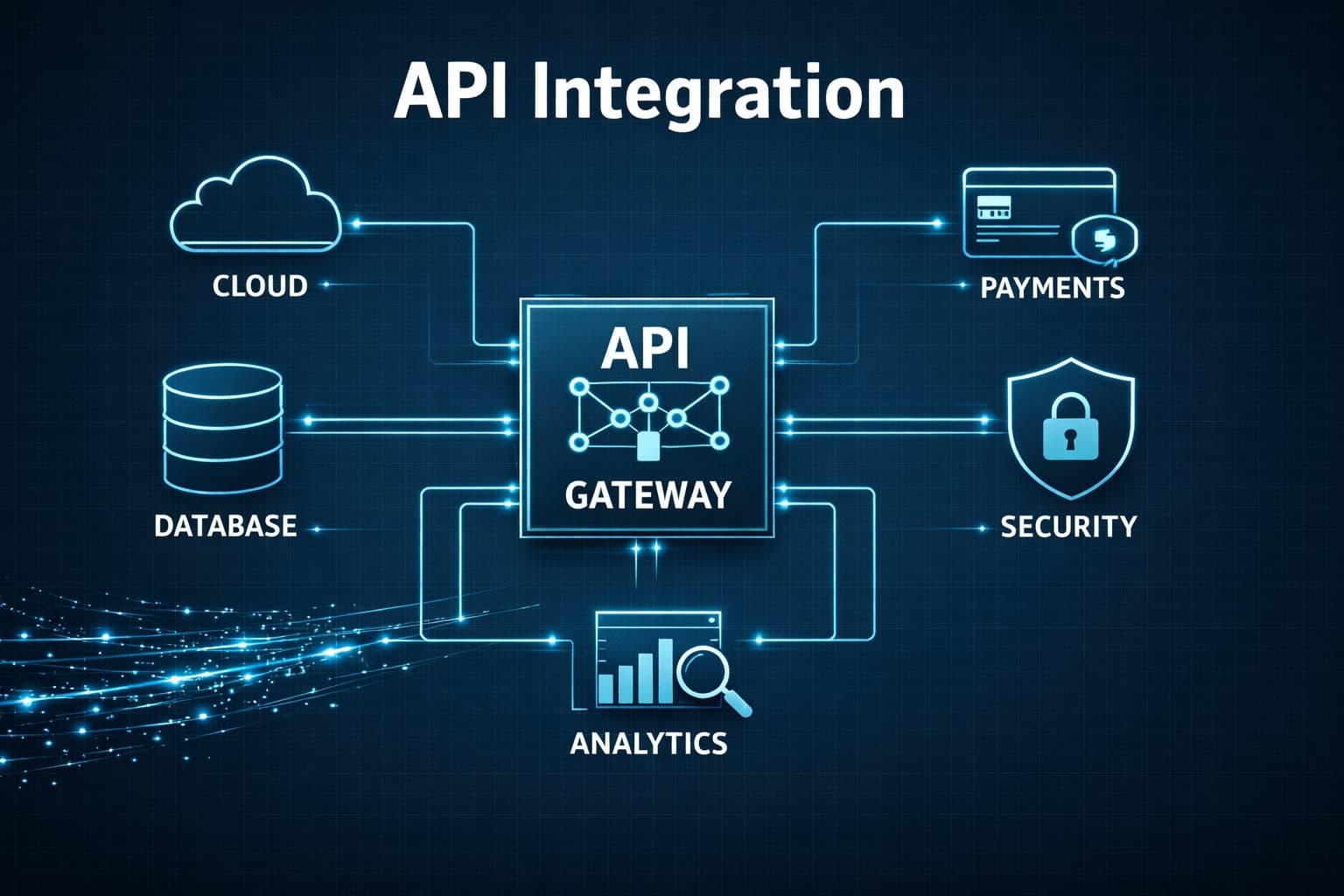
API Integration: What It Is, Benefits, and How It Works
API integration underpins how modern software systems work together. SaaS platforms, mobile apps, internal business tools, and AI-powered products often depend on multiple services for authentication, messaging, analytics, payments, storage, and customer data. Those services need a reliable way to exchange information as actions happen.
API integration provides that connection. It allows applications to send requests, receive responses, and keep data synchronized across systems without manual intervention. Without it, software teams end up managing disconnected tools, duplicated records, and workflows that become harder to maintain as products grow.
What Is API Integration?

API integration connects software systems through APIs so they exchange data and trigger actions without manual work. It turns separate tools into a single workflow where one system’s output becomes another system’s input in real time.
An API defines how systems communicate. API integration applies that communication to move data across services and keep operations synchronized.
Simple Example
- Login flow across systems:
- User enters credentials
- App sends request to authentication service
- Service verifies identity
- System returns user profile
- Access gets approved
Each step runs through an API, not manual transfer between systems.
Common Use Cases
- Payment processing across gateways and banking systems
- Social login using Google, Apple, or Facebook
- Logistics tracking across shipping providers
- Customer support ticket routing across platforms
- Cloud storage synchronization across devices
- Marketing automation across email and CRM tools
API vs. API Integration
Although people often use these terms interchangeably, they refer to different concepts.
| API | API Integration |
|---|---|
| Defines communication rules | Builds connected workflows |
| Exposes endpoints | Links multiple systems |
| Single service interface | Multi-system data flow |
| Passive structure | Active automation layer |
Think of an API as a doorway between two applications. API integration is the complete process of using that doorway to move information between them.
How API Integration Works
At its core, API integration follows a simple sequence.
- A user or application performs an action.
- One application sends an API request.
- The receiving service validates the request.
- The requested action takes place.
- A response returns to the original application.
- Both systems update automatically.
Example: SaaS Application Workflow Consider a SaaS platform where a new user signs up for an account.
Once the signup form is submitted, the application sends requests to several connected services. An identity service verifies the user, a billing platform creates a customer record, a CRM stores account details, an email service sends a welcome message, and an analytics tool logs the event for reporting.
To the user, it feels like a single action. In the background, multiple systems exchange data through APIs to complete onboarding automatically.
Key Components of an API Integration
Most API integrations rely on the same core elements, even when the systems and use cases differ.
A request is the message one application sends to another service. It usually includes the endpoint, method, headers, and any data needed to complete the action.
Authentication verifies that the request is allowed. This often happens through API keys, access tokens, or OAuth credentials.
Processing is the step where the receiving system handles the request. That might mean fetching data, updating a record, running a transaction, or triggering another action.
The response is the data returned to the calling application after the request is processed. In most modern systems, this comes back in JSON, though some services still use XML.
Synchronization happens when the result of that response updates one or more connected systems. This is what keeps records, workflows, and application state aligned across platforms.
In most production environments, these steps happen in milliseconds, which is why integrated systems can support real-time workflows across multiple applications.
API Integration Architecture
 API integration follows layered architecture design.
Standard Architecture Flow
User Interface
→ Backend Service
→ API Gateway
→ Authentication Layer
→ External APIs
→ Database Systems
Layer Functions
| Layer | Role |
|---|---|
| User Interface | Captures user actions |
| Backend Service | Handles business logic |
| API Gateway | Routes requests |
| Authentication Layer | Validates identity |
| External APIs | Provide services |
| Database | Stores persistent data |
AI Integration Architecture Example
User Request
→ AI Gateway
→ Routing Layer
→ Response Aggregation
→ Final Output
AI gateways simplify multi-model systems by centralizing routing and response handling. Tokenware functions as a unified API layer between applications and external services. Instead of connecting directly to multiple APIs or AI models, requests pass through Tokenware. This reduces integration complexity and centralizes authentication, routing, and monitoring across systems.
Why API Integration Matters
Modern businesses run many disconnected systems across sales, finance, marketing, and engineering. CRM tools, payment systems, analytics platforms, and cloud services often operate in isolation. When systems do not connect, data becomes inconsistent. Teams repeat work, reports conflict, and customers face delays.
API integration fixes this by linking systems through APIs so data moves automatically across applications in real time.
Business and Engineering Impact
- Real-time data sync across systems
- Less manual data entry
- Faster operations across teams
- Consistent customer and business data
- Improved customer experience
- Faster software development using existing services
AI and System Complexity
Modern applications also use multiple AI models and external services. Managing each connection separately increases complexity. An AI gateway simplifies this by providing one access layer for multiple AI models and APIs.
Platforms like Tokenware extend this approach by centralizing integrations across systems, reducing fragmentation and simplifying how applications connect.
Benefits of API Integration
API integration improves how software systems exchange data, automate workflows, and support business operations at scale. Instead of treating each application as a separate tool, it creates a connected environment where systems can share information and trigger actions automatically. That shift has practical benefits for both technical teams and the business functions that rely on connected software every day.
Automates Repetitive Work
One of the biggest benefits of API integration is automation. When systems are connected, routine tasks no longer depend on employees moving data manually from one platform to another. A billing system can generate invoices after a purchase, a CRM can update customer records after a signup, and a support platform can create tickets based on product activity or incoming requests.
This reduces repetitive work, shortens turnaround time, and lowers the risk of manual errors across teams.
Improves Data Accuracy Across Systems
Disconnected tools often create conflicting records. A customer’s details may be updated in one system but remain outdated in another, which leads to reporting issues and poor customer experience. API integration helps solve this by keeping data synchronized across platforms.
When updates flow automatically between systems, teams work from the same source of truth instead of relying on duplicate records spread across different tools.
Speeds Up Customer and User Experiences
API integration also improves the speed of customer-facing workflows. Payments can be confirmed instantly, account data can update in real time, and users can receive immediate notifications after an action is completed.
For software products, this matters because users expect systems to respond quickly. The faster data moves between services, the smoother the experience becomes.
Reduces Operational Overhead
Manual workflows create hidden costs. Teams spend time copying information between tools, checking for errors, and fixing mismatched records. API integration reduces that overhead by automating how systems exchange data and complete routine actions.
Over time, this helps businesses operate more efficiently without adding unnecessary process complexity.
Makes Systems Easier to Scale
As businesses grow, they adopt more tools for sales, support, analytics, payments, and internal operations. API integration makes it easier to connect those systems without rebuilding the entire software stack every time a new service is introduced.
That flexibility matters for growing teams because it supports expansion without forcing major architectural changes.
Accelerates Software Development
Developers do not need to build every feature from scratch. Through APIs, they can connect external services for authentication, messaging, storage, analytics, or AI functionality and focus on the product logic that makes their application unique.
This shortens development cycles and helps engineering teams ship features faster.
Improves Reporting and Decision-Making
When data lives in separate systems, reporting becomes unreliable. API integration brings information together across platforms, which makes it easier to build dashboards, track customer activity, and measure business performance accurately.
That visibility supports better decisions across operations, product, and leadership teams.
Supports AI and Multi-Service Workflows
Modern applications often rely on more than one external service, including AI models, cloud platforms, analytics tools, and business systems. API integration creates the foundation for these workflows by connecting services that need to work together in real time.
For teams working with AI models, this becomes especially important because prompts, outputs, analytics, and user actions often need to move across several systems in one workflow.
Common Types of API Integration
Not every integration works the same way. The right approach depends on the systems involved, the amount of data being exchanged, and business requirements.
REST API Integration
REST is the most widely used integration style today. It uses standard HTTP methods such as GET, POST, PUT, and DELETE to exchange data between applications.
REST APIs are popular because they are lightweight, scalable, and easy to implement.
Common use cases include:
- Mobile applications
- E-commerce platforms
- SaaS products
- Payment services
SOAP API Integration
SOAP is a protocol designed for applications that require strict security and standardized messaging.
Although it is older than REST, many financial institutions, healthcare organizations, and government systems still rely on SOAP for mission-critical operations.
GraphQL Integration
GraphQL gives applications more control over the data they request. Instead of receiving large responses with unnecessary information, developers specify exactly what data they need.
This improves efficiency and reduces bandwidth usage.
Webhook Integration
Unlike traditional requests, webhooks send information automatically when a specific event occurs.
For example:
- A payment succeeds
- A customer submits a form
- An order ships
- A support ticket is closed
Webhooks reduce unnecessary polling and support near real-time communication.
Third-Party Integration
Many organizations connect external services instead of building every feature internally.
Examples include:
- Payment gateways
- Email platforms
- CRM software
- Analytics platforms
- Cloud storage providers
These integrations reduce development time while expanding application capabilities.
API Integration Types Compared
| Integration Type | Best For | Advantages |
|---|---|---|
| REST | Web and mobile applications | Fast, lightweight, widely supported |
| SOAP | Enterprise systems | Strong security and standardized messaging |
| GraphQL | Data-intensive applications | Requests only required data |
| Webhooks | Event-driven workflows | Instant notifications |
| Third-party integrations | Business applications | Faster deployment and lower development costs |
Real-World Examples of API Integration API integration powers many of the digital services people use every day.
Online Payments
When a customer completes a purchase, the website communicates with a payment provider to verify the transaction. Once approved, inventory updates automatically, the customer receives a confirmation email, and the shipping process begins.
Social Login
Many websites allow users to sign in with existing Google, Apple, or Facebook accounts. Instead of creating new credentials, users authenticate through an external identity provider.
Delivery Tracking
Logistics companies connect order management systems with shipping providers to display package status in real time. Customers receive automatic updates without contacting customer support.
Customer Relationship Management
Sales platforms synchronize customer information across marketing, support, and sales applications. This keeps every department working with the same information.
AI Applications
Organizations building intelligent applications often connect multiple AI models for different tasks such as text generation, document analysis, translation, and coding assistance. Rather than integrating each provider individually, many teams use an AI gateway to manage authentication, routing, monitoring, and usage from one centralized interface.
How to Build API Integration
Step 1: Identify Systems
Select systems that need communication.
Step 2: Review Documentation
Check endpoints, authentication rules, and response formats.
Step 3: Configure Authentication
Generate API keys or OAuth tokens.
Step 4: Send Test Requests
Validate connection.
Example: API Integration Through Tokenware
const axios = require("axios");

async function getOrderStatus() {
  try {
    const response = await axios.post(
      "https://api.tokenware.ai/v1/request",
      {
        service: "order-tracking",
        action: "getStatus",
        payload: {
          orderId: "ORD_12345"
        }
      },
      {
        headers: {
          Authorization: "Bearer YOUR_TOKENWARE_API_KEY",
          "Content-Type": "application/json"
        }
      }
    );

    console.log(response.data);
  } catch (error) {
    console.error(error.message);
  }
}

getOrderStatus();
Step 5: Handle Responses
Parse JSON or XML data into application logic.
Step 6: Manage Errors
Add retries, logging, and fallback handling.
Step 7: Deploy Integration
Move workflow to production.
Step 8: Monitor Performance
Track latency, failures, and usage.
Common Challenges of API Integration

Although API integration provides significant benefits, implementation is not always straightforward.
Authentication and Security
Every connected system must verify requests before exchanging data. Managing API keys, OAuth tokens, permissions, and encryption adds complexity, especially when multiple external services are involved.
Data Compatibility
Different applications often organize data differently. One system might store a customer's name in separate fields, while another stores it as a single value. Data mapping is often required before information flows correctly.
Rate Limits
Many service providers limit how many requests an application can send within a specific period. Applications that exceed these limits may experience delays or temporary service interruptions.
Version Changes
Software providers regularly update their APIs. If older versions become unsupported, integrations may stop working until developers update their implementations.
Error Handling
Network interruptions, invalid requests, and temporary outages happen regularly. Applications should detect failures, retry requests when appropriate, and provide meaningful error messages.
Performance
As more connected services participate in a workflow, response times may increase. Poorly designed integrations create bottlenecks that affect the overall user experience.
Ongoing Maintenance
Integration is not a one-time project. Organizations should monitor performance, review security updates, and adapt to changes introduced by service providers.
Challenges and Solutions
| Challenge | Solution |
|---|---|
| Authentication | Token-based access |
| Data mismatch | Standard schemas |
| Rate limits | Caching and batching |
| API updates | Version tracking |
| Performance | Optimize request flow |
| Maintenance | Monitoring systems |
API Integration Best Practices
Following proven practices improves reliability, security, and long-term maintainability.
Use Strong Authentication
Protect sensitive data using secure authentication methods and encrypted connections.
Read the Documentation
Well-documented services explain endpoints, request formats, authentication requirements, and response structures. Review documentation before development begins.
Handle Errors Properly
Applications should anticipate failures instead of assuming every request succeeds. Include logging, retries, and meaningful error messages.
Monitor Performance
Track response times, failures, and usage trends to identify issues before they affect users.
Respect Rate Limits
Avoid unnecessary requests by caching frequently accessed information and optimizing workflows.
Test Before Deployment
Integration testing helps identify compatibility issues before software reaches production.
Keep Integrations Updated
Monitor announcements from service providers and update integrations before older versions are retired.
How to Choose an API Integration Platform
The right API integration platform should simplify how your application connects to external services. For developers, the priority is not how many integrations a platform supports, but how well it handles authentication, request routing, monitoring, and long-term scalability.
When comparing options, look for:
- support for the services your application needs
- centralized authentication and access control
- request logging and error visibility
- flexible routing across multiple services
- clear documentation and developer-friendly setup
Tokenware as an API Platform for AI Models
For teams building with AI models, Tokenware works as an API platform and AI gateway for managing model access through a single integration layer.
Instead of connecting separately to each model provider, developers send requests through Tokenware and manage authentication, routing, and model access from one place. This is useful for applications that need to work across multiple AI models for tasks such as text generation, summarization, classification, or automation.
In practice, Tokenware helps reduce the overhead of maintaining separate model integrations inside the application layer. It gives teams a more centralized way to work with AI services while keeping the broader software stack easier to manage.
The Future of API Integration
As cloud computing and artificial intelligence continue to evolve, integration is becoming more intelligent and automated.
- Several trends are shaping the future.
- AI-assisted integration development
- Low-code and no-code integration platforms
- Event-driven architectures
- Unified access to multiple cloud services
- Increased focus on API security and governance
Organizations adopting generative AI also need efficient ways to connect different AI models without maintaining separate integrations for each provider. An AI gateway simplifies this process by providing a single interface for authentication, routing, monitoring, and cost management.
As businesses continue adopting cloud-based software, API integration will remain a core part of digital transformation strategies.
Conclusion
API integration connects software systems into automated workflows that improve speed, accuracy, and scalability. It enables real-time data flow across payments, communication tools, analytics platforms, and AI systems through APIs. As system complexity grows, unified integration layers like Tokenware reduce fragmentation and simplify how applications connect across services and AI models.
Frequently Asked Questions
1. What is the process behind software systems exchanging information
Applications exchange data through structured requests and responses sent between systems over defined communication rules.
2. How do different applications communicate with each other in real time
They send requests through network calls and receive responses instantly after processing on the receiving system.
3. What problems appear when tools do not share data correctly
Data becomes inconsistent, teams duplicate work, and reporting errors increase across departments.
4. How do platforms coordinate actions across multiple services
They trigger workflows where one system’s output activates actions in other connected systems.
5. What is needed before two systems can securely exchange data
Authentication credentials, secure connections, and permission rules are required before data exchange.
6. How do online services sync updates across different tools
They update shared records automatically after changes occur in any connected system.
7. What causes delays when applications depend on external services
Network latency, request processing time, and service rate limits create delays.
8. How do developers reduce repeated manual work between systems
They automate workflows so data moves automatically instead of manual transfer.
9. What happens when one service fails in a connected workflow
The workflow may stop, retry logic may activate, or fallback systems handle the failure.
10. How do businesses maintain consistent records across platforms
They use synchronized systems that update all connected tools at the same time.